






Description
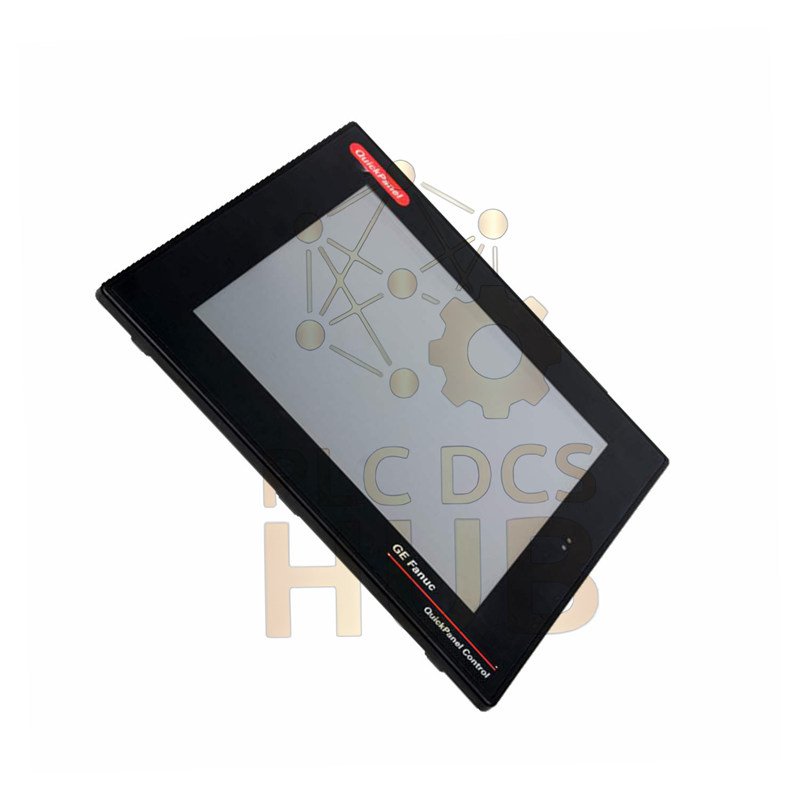
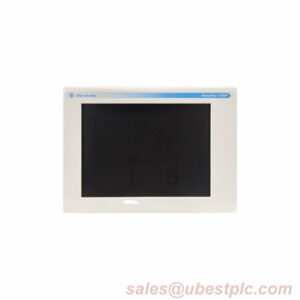
GE QuickPanel IC754CSF15CTD | 15″ Advanced HMI Touchscreen
Control your machinery with clarity. The GE QuickPanel IC754CSF15CTD is a powerful 15-inch operator interface. It delivers a bright, clear view of your process. This touchscreen HMI is built for demanding industrial environments. It connects easily to your GE control systems.
Product Overview & Key Features
The IC754CSF15CTD combines a large screen with robust communication. It is designed for reliable daily operation.
- Large 15-inch Color TFT Display: View process graphics and data clearly.
- Intuitive Touchscreen Operation: Simple and direct control.
- Dual Communication Ports: Built-in RS-232 and RS-485 for flexible wiring.
- Wide Power Input Range: Works with 12V DC or 24V DC systems.
- Adequate Project Storage: 64 MB of internal flash memory.
- Rugged Industrial Design: Built to last on the factory floor.
Complete Technical Specifications
- Brand: GE (General Electric / Emerson)
- Model: IC754CSF15CTD
- Series: QuickPanel
- Type: HMI (Human-Machine Interface) / Operator Terminal
- Display Size: 15 inches (diagonal)
- Display Type: Color TFT, Resistive Touchscreen
- Resolution: 1024 x 768 pixels (XGA)
- Brightness: High brightness for plant visibility
- Processor: Embedded industrial processor
- Memory: 64 MB Flash (for application storage)
- Operating System: Microsoft Windows CE
- Communication Ports: 1x RS-232, 1x RS-485
- Required Cable: HMI-CAB-C120 (for programming)
- Design Software: Proficy View Machine Edition (PME)
- Input Power: 12-24 VDC (wide range)
- Operating Temperature: 0°C to 50°C (32°F to 122°F)
- Dimensions (HxWxD): Approximately 16″ x 14″ x 8″
- Shipping Weight: ~10 lbs (4.5 kg)
What’s In The Box & Support
- GE QuickPanel IC754CSF15CTD Unit
- Warranty: Trusted 12-Month Replacement Warranty.
- Global Shipping: Fast delivery via FedEx, UPS, or DHL.
- Certifications: Meets GE industrial standards for quality and safety.
Expert FAQs
- Q: Can I run old QuickDesigner projects on this unit?
- A: No. The IC754CSF15CTD requires projects made in newer Proficy View Machine Edition (PME) software. Older projects need conversion.
- Q: What is the most common power supply mistake?
- A: Using an unregulated or poor-quality DC power source. This can cause screen flickering or random resets. Always use a clean, regulated 24V DC supply.
- Q: Is the touchscreen glass or plastic? Can it be replaced?
- A> It has a durable resistive touch film over the glass. The front overlay is a replaceable part if scratched or damaged.
- Q: How do I back up the application from the HMI?
- A: Connect with the C120 cable and use Proficy View’s “Restore/Upload” function. This requires the original project file (.pmv) password.
- Q: The screen seems dim. How can I adjust it?
- A: Press and hold the top-left corner of the screen for 5 seconds. This opens a hidden calibration and brightness menu. You can adjust it there.
Copyright © 2025 PLCDCS HUB Limited https://plcdcshub.com/. All rights reserved.
Partner: Powergear X Automation Limited https://www.powergearx.com/
Contact: Phone: +86 158 8020 0923 | Email: sales@plcdcshub.com


0.0 Average Rating Rated (0 Reviews)