

GE IS200AEPAH1AHD: Achieving Impedance Matching for Vibration
Achieving Precision: Impedance Matching with the GE IS200AEPAH1AHD
Optimizing Signal Integrity in Vibration Monitoring
Accurate vibration measurement remains the cornerstone of modern industrial automation. For rotating equipment like compressors and turbines, the GE IS200AEPAH1AHD input channel provides the necessary precision. Achieving signal integrity, however, requires careful impedance matching between your sensors and the data acquisition system. When your electrical path is correctly balanced, you capture critical data points that prevent costly, unplanned production shutdowns.
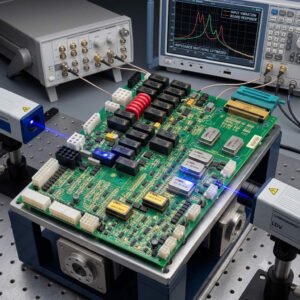
Understanding the Charge Amplifier Interface
The IS200AEPAH1AHD does not interface directly with raw piezoelectric sensors. Instead, it relies on external charge amplifiers to convert high-impedance charge signals into stable voltage outputs. This module features high input impedance to prevent signal loading. Consequently, your vibration amplitude readings remain accurate across the entire frequency spectrum. At PLCDCS HUB, we emphasize that maintaining this impedance ratio is vital for reliable diagnostics.
Preserving High-Frequency Data for Predictive Maintenance
Modern predictive maintenance programs rely on capturing high-frequency vibration signatures. These frequencies often indicate early-stage bearing damage or gear mesh issues. The IS200AEPAH1AHD architecture supports a wide bandwidth to ensure these subtle signals remain visible. If your input stage lacks this range, you may miss the early warning signs of equipment failure. Therefore, high-quality signal acquisition serves as your primary defense against mechanical deterioration.
Best Practices for Signal Path Reliability
Impedance matching is only one part of the equation. Noise, cable capacitance, and grounding strategies also significantly impact your measurement quality. Follow these professional guidelines to ensure optimal performance:
- ⚙️ Maintain a 10:1 impedance ratio between the signal conditioner and the input module.
- ⚙️ Use low-capacitance coaxial cabling for runs exceeding 30 meters.
- ⚙️ Implement single-point grounding to minimize electromagnetic interference (EMI).
- ⚙️ Isolate vibration signal paths from high-current motor or VFD wiring.
- ⚙️ Verify the output specifications of your signal conditioners during commissioning.
Expert Insights from PLCDCS HUB
Many technicians mistakenly blame the control module when vibration spikes appear. In our experience at PLCDCS HUB, the issue frequently resides in the field wiring or the conditioning circuit. We consistently advise engineers to inspect ground potential differences and shield integrity before considering hardware replacement. A methodical approach to troubleshooting saves time and protects your budget from unnecessary component procurement.
Practical Solution Scenario
Consider a facility experiencing intermittent, false high-vibration alarms on a critical compressor. After replacing the module, the problem persists. The team investigates the cable shields and discovers multi-point grounding causing a ground loop. By correcting the grounding strategy and verifying the charge amplifier output, they resolve the noise floor issue immediately. For expert component selection and technical support, visit PLCDCS HUB to optimize your control systems.
Frequently Asked Questions
Can I connect a raw charge-output accelerometer directly to the IS200AEPAH1AHD?
No, this module lacks the specialized charge-input circuitry required for raw pC signals. You must use a compatible charge amplifier to convert the signal to voltage first.
How do I confirm my system meets the 10:1 impedance matching requirement?
Compare the manufacturer’s output impedance of your charge amplifier with the input impedance of the IS200AEPAH1AHD. Ensure the module’s input value is at least ten times higher.
What is the best way to troubleshoot unexplained vibration noise in my DCS?
Start by measuring ground potential differences between your sensor and the cabinet. If the grounding is clean, verify your cable shielding and check for nearby high-voltage interference.


