

Extending Legacy VersaMax CPU Life
Introdcution
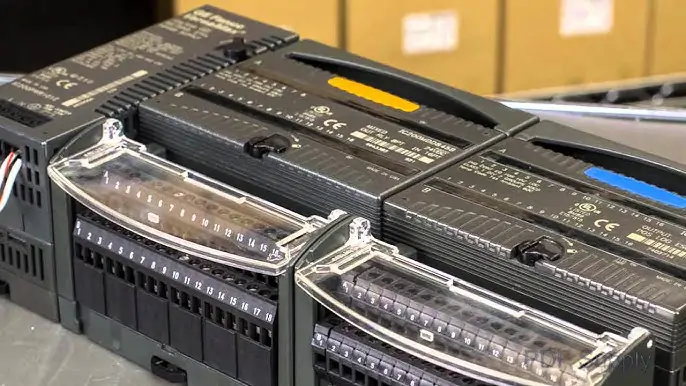
Old industrial controls cause problems. Many plants use aging GE Fanuc VersaMax systems. This guide shows why hardware updates matter and how to do them affordably.
Why Update Old VersaMax Systems?
- Hard-to-find parts: Obsolete parts mean long waits and high costs when failures happen
- Security risks: Old CPUs lack modern cyber protection
- Slow performance: Can’t handle today’s complex processes
- Missing features: No data collection or smart factory capabilities
- Maintenance headaches: Fewer technicians know old systems
3 Cost-Saving Upgrade Strategies
1. Plan Smart: Focus Where It Matters
- Check all VersaMax equipment first
- Update only high-risk or critical areas
- Consider partial upgrades (like newer VersaMax Nano CPUs)
- Prioritize by cost vs benefit
2. Use Compatible Parts & Kits
- Keep existing I/O modules when possible
- Use upgrade kits for easier transitions
- Swap only CPU modules to save rewiring time
3. Upgrade in Phases
- Update one line at a time – not whole plant
- Test new systems while old ones run
- Spread costs over budget cycles
Work With Upgrade Experts
Don’t do it alone. The right partners help with:
- Choosing the best upgrade path
- Finding compatible parts
- Installation support
Benefits of Upgrading
- Less downtime from failures
- Lower long-term maintenance costs
- Better system performance
- Ready for future improvements

Ready to update your VersaMax systems? PLCDCS HUB Limited has solutions:
Click here to see upgrade options
| Model | Title | Link |
|---|---|---|
| IC200CPU001 | GE Fanuc VersaMax CPU Module | Learn More |
| IC200CPUE05 | GE Fanuc VersaMax CPU Module | Learn More |
| IC200CPU002 | GE Fanuc VersaMax CPU Module | Learn More |
| IC200CPU005 | GE Fanuc VersaMax CPU Module | Learn More |
Related Posts

How to Implement SCADA for Remote Factory Automation
Deterministic Communication in Factory Automation Systems

Fast Circuit Breaker Trip Identification in DCS Systems