




Description
Product Description
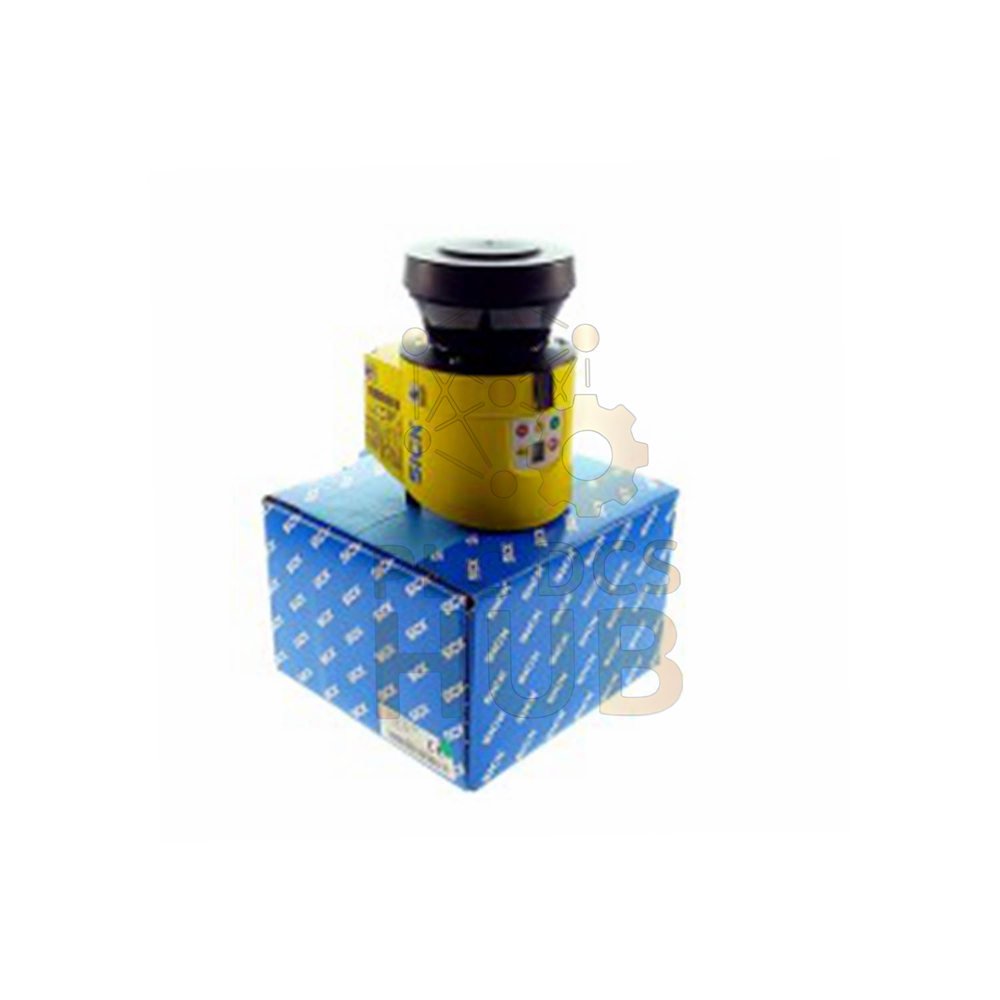
The SICK S30B-3011DA is a safety laser scanner from the S300 Professional series. It scans 270 degrees around your machine. This device stops dangerous movement when someone enters the zone. Use it for indoor industrial safety.
What This Scanner Does
– Creates a protective field up to 3 meters – Sets a warning field up to 8 meters – Stops machines when people enter the protective zone – Works with mobile or stationary equipment – Detects objects with 1.8% to over 1000% reflectivity
Key Features at a Glance
– 270 degree scanning angle – Protective field: 3 meters (15% reflectivity) – Warning field: 8 meters (15% reflectivity) – Distance measurement: up to 30 meters – Configurable resolution: 30 to 150 mm – Response time: 80 ms – SIL 2 and PL d safety ratings – 20 year mission time (TM)
Technical Specifications
– Brand: SICK – Model number: S30B-3011DA – Alternate part number: 1056429 – Series: S300 Series / S300 Professional – Product type: Safety Laser Scanner – Measuring range (protection): 3 m – Measuring range (warning): 8 m – Distance measuring range: 30 m – Scanning angle: 270° – Angular resolution: 0.5° – Response time: 80 ms – Resolution (configurable): 30, 40, 50, 70, or 150 mm – Operating voltage: 24 V DC (16.8 to 30 V) – Power consumption: 0.33 A (normal) / 1.7 A (max) – Output type: 2 PNP semiconductors – Housing material: Aluminum die cast – Housing color: RAL 1021 (yellow) – IP rating: IP65 – Weight: 1.2 kg – Dimensions (WxHxD): 102 x 152 x 106 mm
Model Number Breakdown
 S30B-3011DA │ │ │ │
└─ DA = Specific variant │ │ │
└─── 1 = Generation / revision │ │
└───── 1 = Configuration code │
└─────── 30 = 30 meter distance measuring range
└─────────── S30B = S300 Basic series
Field Configuration
– Triple field sets: Standard configuration – Number of field sets: 8 total – Number of fields: 24 total – Number of monitoring cases: 32 – Protective field supplement: 100 mm – Multiple sampling: 2 to 16 (configurable) – Auto reset delay: 2 to 60 seconds (configurable)
Safety Ratings
– Safety integrity level: SIL 2 (IEC 61508) – Category: Category 3 (EN ISO 13849) – Performance level: PL d (EN ISO 13849) – PFHD: 8.0 x 10⁻⁸ (mean probability of dangerous failure per hour) – TM (mission time): 20 years (EN ISO 13849) – Safe state on fault: At least one OSSD turns OFF
Connectors and Interfaces
System plug: Without connecting cable (M12 5-pin male)
Configuration interface:
RS-232 at 38.4 kBaud
Use SICK CDS software on PC
Data interface:
RS-422 at up to 500 kBaud
EFI (SICK device communication):
Up to 500 kBaud
Cable up to 50 meters
Conductor size: 0.22 mm²
Inputs (Total 5 Universal I/Os + more)
– External device monitoring (EDM): 1 – Reset/restart: 1 – Static control inputs: 3 – Static with EFI: 5 – Dynamic (incremental encoder): 2 – Standby: 1
Outputs
– OSSD pairs: 1 (2 x 250 mA) – Application diagnostic outputs: 3 x 100 mA
Mechanical Details
– Housing: Aluminum die cast, yellow RAL 1021 – Optics cover: Polycarbonate with scratch-resistant coating – IP65 protection against dust and water jets
Environmental Ratings
– Operating temperature: -10°C to +50°C – Storage temperature: -25°C to +50°C – Shock resistance: 16 g at 16 ms (IEC 60068-2-29) – Continuous shock: 50 m/s² at 11 ms, 100 m/s² at 16 ms – Vibration class: 5M1 (IEC 60721-3-5)
Optical Data
– Light source: Pulsed laser diode – Wavelength: 905 nm – Detectable remission: 1.8% to over 1000% – Works with reflectors
Installation Guide
– Mount scanner at correct height for your hazard – Connect 24V DC power (16.8 to 30V range) – Wire OSSD outputs to machine stop circuit – Add EDM wiring for monitoring external contactors – Use CDS software on PC to configure fields – Set protective and warning zones via software – Test with test object (specified resolution)
Debugging & Maintenance
– Use CDS software to view field violations – Check diagnostic outputs for status – Clean optics cover regularly with soft cloth – Run periodic function tests (daily recommended) – Monitor for scratches on polycarbonate cover
Compatibility
– Works with any machine stop circuit (OSSD inputs) – Connects to SICK EFI compatible devices – Use with SICK Flexi Soft safety controllers – RS-232 for configuration only (not safety)
What’s in the Box
– 1 x S30B-3011DA safety laser scanner – No system plug included (sold separately) – No mounting bracket included – No CDS software CD (download from SICK) – Quick start guide included
Warranty & Shipping
– 12 months warranty from purchase date – Covers manufacturing defects only – Does not cover scratched optics or impact damage – Shipping methods: FedEx, UPS, DHL – Fast worldwide delivery available
Typical Applications
– Mobile robot safety (AGVs) – Machine guarding on palletizers – Packaging machine access protection – Warehouse automation safety zones – Stationary hazard guarding
Diagnostic Capabilities
– Three application diagnostic outputs – Violation history in CDS software – Real-time field monitoring via RS-232 – OSSD status indicates safety state
FAQ – Frequently Asked Questions
Q1: What is the difference between protective and warning fields?
A: Protective field stops the machine. Warning field only alerts you. The machine keeps running in warning zone.
Q2: Can I use this scanner outdoors?
A: No. This S30B-3011DA is for indoor use only. Direct sunlight causes false trips.
Q3: From experience, how often should I clean the optics?
A: Clean weekly in dusty areas. Use only soft cloth and plastic-safe cleaner. Scratches cause false detections.
Q4: What happens if I have two scanners facing each other?
A: They may interfere. Use SICK EFI synchronization. Or mount them at different heights.
Q5: Does the 12 month warranty cover the laser diode?
A: Yes, for manufacturing defects. Laser diodes have long life. Normal aging is not covered.
Q6: Can I change the resolution after installation?
A: Yes. Use CDS software to change resolution. Higher resolution needs slower response time.
Q7: Which shipping method is best for urgent safety repairs?
A: DHL Express Worldwide for international. FedEx Priority for North America. UPS Next Day for Europe.
Q8: Why does my scanner go into fault when I power on?
A: Check external device monitoring (EDM) wiring. EDM expects contactors to open within 150 ms.
Selection Guide
– Step 1: Measure your hazard zone width and height – Step 2: Calculate required protective field distance (3m max for this model) – Step 3: Check if you need mobile or stationary mounting – Step 4: Verify your machine stop circuit accepts OSSD outputs – Step 5: Decide if you need EFI communication to other SICK devices – Pro tip: Buy the system plug separately. Choose plug with cable or without. Your installation determines the best choice.
Need help configuring your safety zone? Contact our team.
Contact Information
For inquiries: +86 158 8020 0923 (WhatsApp)
Copyright © 2026 PLCDCS HUB Limited. All rights reserved.
Original Source: https://plcdcshub.com/
Partner: Powergear X Automation Limited
Partner: Oiltech Controls Limited


0.0 Average Rating Rated (0 Reviews)