





Description
Product Overview
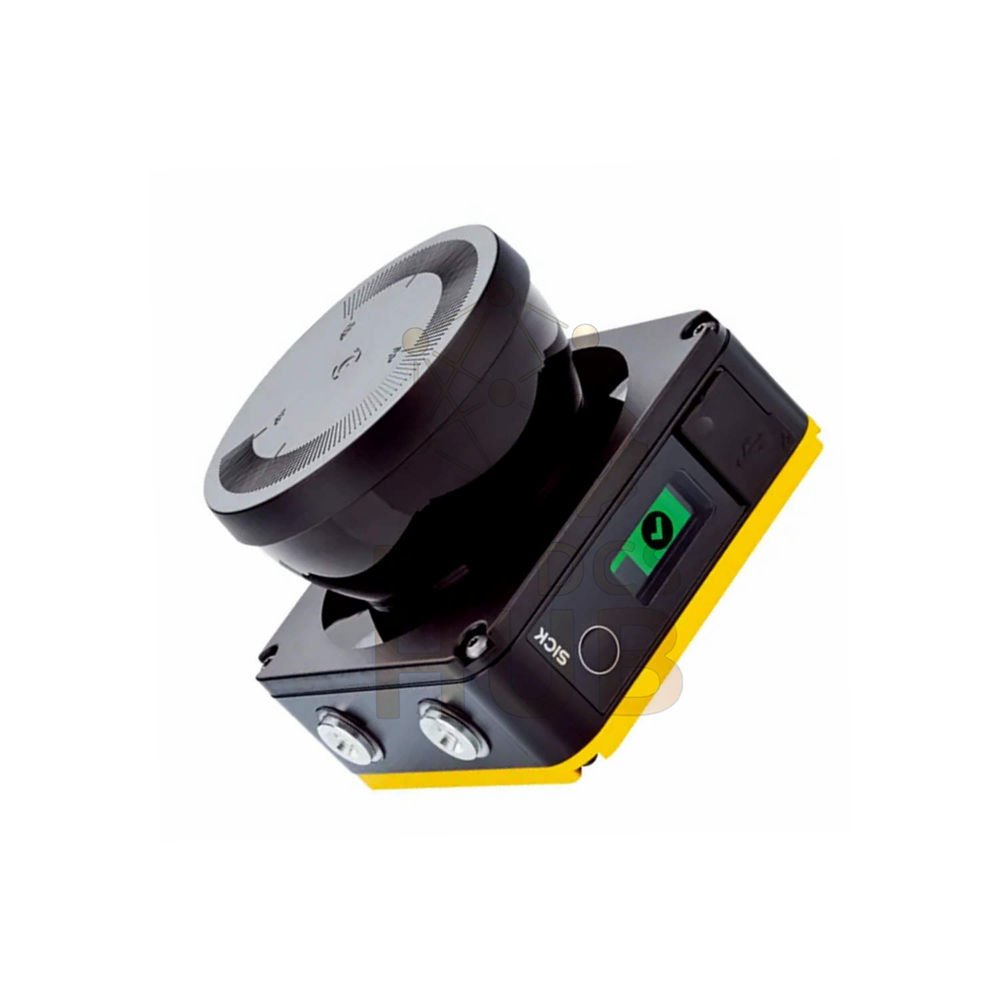
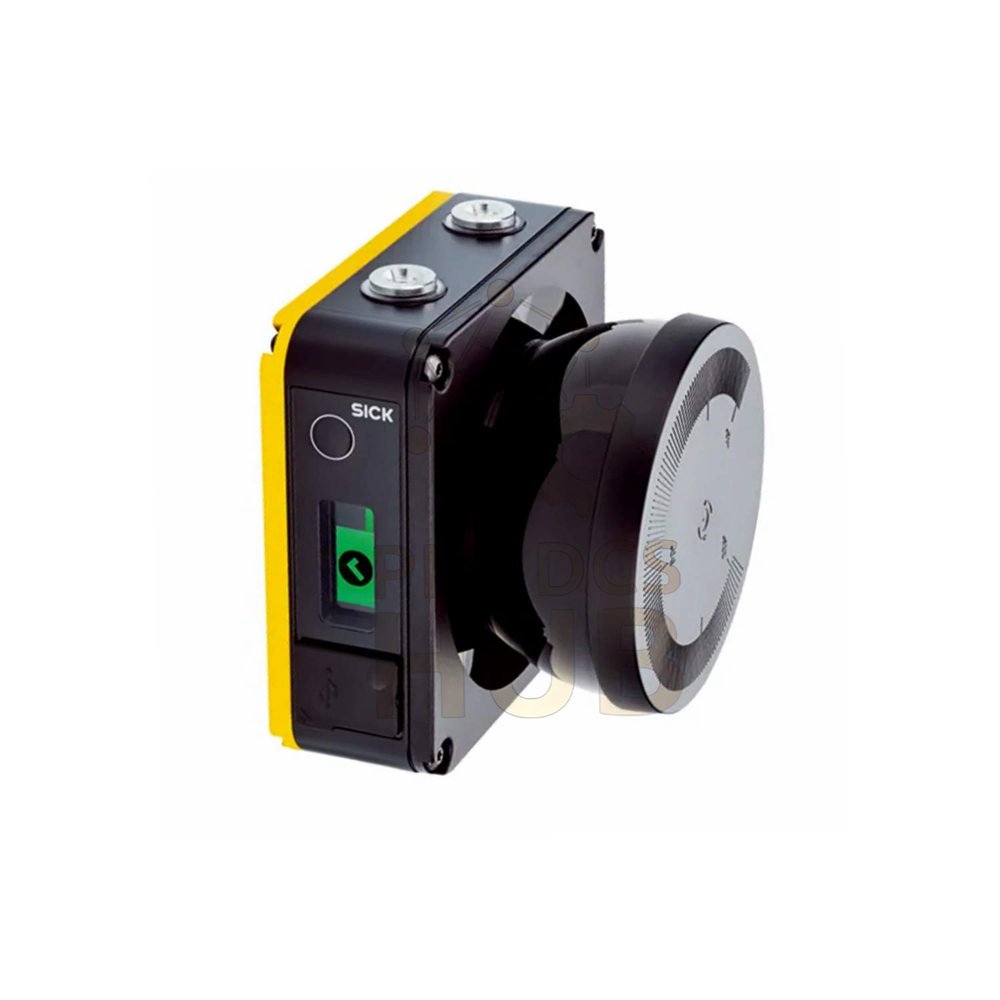
- SICK NANS3-AAAZ30AN1 is a nanoScan3 safety laser scanner.
- This is a Type 3, SIL 2 device for indoor safety applications.
- It scans 275° to detect people or objects near machines.
- Use it for mobile robotics or stationary machine guarding.
Basic Identification
- ▹ Brand: SICK
- ▹ Model: NANS3-AAAZ30AN1
- ▹ Series: nanoScan3
- ▹ Product version: nanoScan3 Core I/O
- ▹ Model type: Sensor without system plug
- ▹ Application: Indoor only
Key Specifications – Ranges & Coverage
- ▹ Protective field range: 3 meters (10 feet)
- ▹ Warning field range: 10 meters (33 feet)
- ▹ Distance measuring range: 40 meters (131 feet)
- ▹ Scanning angle: 275 degrees
- ▹ Angular resolution: 0.17 degrees
- ▹ Response time: 70 milliseconds
- ▹ Protective field supplement: 65 mm
Configurable Resolution Options
- The scanner can detect objects at these resolutions:
- 20 mm, 30 mm, 40 mm, 50 mm, 60 mm, 70 mm, 150 mm, or 200 mm.
- Choose lower resolution (20 mm) for small objects like hands or legs.
- Choose higher resolution (200 mm) for large objects or low risk areas.
Safety Certifications & Ratings
- Safety category: Category 3 (EN ISO 13849)
- Performance level: PL d (EN ISO 13849)
- SIL rating: SIL 2 (IEC 61508)
- PFHD: 8.0 x 10⁻⁸ (mean probability of dangerous failure per hour)
- Mission time (TM): 20 years (EN ISO 13849)
- Safe state on fault: At least one OSSD turns OFF.
Field & Monitoring Capabilities
- Number of fields: 8 programmable fields total.
- Simultaneously monitored fields: Up to 4 fields at once.
- Number of monitoring cases: 2 cases.
- Switch between monitoring cases for different machine states.
Key Safety Functions
- Restart interlock – prevents automatic restart after stop.
- External device monitoring (EDM) – checks external contactors.
- Multiple sampling – reduces false triggers.
- Monitoring case switching – change safety zones dynamically.
- Simultaneous monitoring – watch multiple zones at same time.
- Static protective field switching – fixed safety zones.
- Safe contour detection – detect shape of objects.
- Contour as reference – compare scan against saved contour.
- Integrated configuration memory – stores settings onboard.
Interfaces & Inputs/Outputs
- Connection type: Depends on system plug (order separately).
- Universal I/Os: 3 configurable I/O points.
- OSSD pairs: 1 pair (safety outputs).
- Universal inputs: 1 input.
- Static control inputs: 1 input.
- Data interface: Ethernet for measured data output.
Configuration & Diagnostics
- Configuration method: PC with Safety Designer software.
- Configuration interface: USB 2.0 (micro USB).
- Diagnostics interface: USB with Safety Designer.
- Data protocols: CoLa 2, DHCP, SNTP.
- Display: Graphic color display + LEDs for status.
Physical Dimensions & Weight
- Dimensions (W x H x D): 106.6 mm x 80 mm x 117.5 mm (including system plug).
- Weight: 0.67 kg (1.48 lbs).
- Housing material: Aluminum.
- Housing color: Yellow (RAL 1021) and Black (RAL 9005).
- Optics cover: Polycarbonate.
Environmental Ratings
- Enclosure rating: IP65 (dust-tight, water jets).
- Ambient light immunity: ≤ 40 klux (typical ≤ 3 klux for direct scan plane).
- Operating temperature: -10°C to +50°C (14°F to 122°F).
- Storage temperature: -25°C to +70°C (-13°F to 158°F).
- Vibration resistance: Class 5M1 per IEC 60721-3-5.
- Shock resistance: 50 m/s² (11 ms) and 100 m/s² (16 ms).
- EMC compliance: IEC 61496-1, IEC 61000-6-2, IEC 61000-6-3.
Laser Specifications – Safe for Eyes
- Light source: Pulsed laser diode.
- Wavelength: 905 nm (infrared).
- Detectable remission: 1.8% to several 1000% reflectivity.
- Laser class: Class 1 – safe for eyes under normal use.
- Complies with 21 CFR 1040.10 and IEC 60825-1.
Installation Guide
- Mount scanner with 275° scanning angle facing the hazard zone.
- Mount at height suitable for detecting legs (typically 150-200 mm from floor).
- Connect system plug (order separately) to the scanner.
- Wire OSSD outputs to machine safety circuit.
- Connect Ethernet for data output if needed.
- Use Safety Designer software to configure protective fields.
- Test all fields before putting machine into service.
Debug & Maintenance
- Use graphic color display to see field status and errors.
- Check LED indicators: green for normal, yellow for warning, red for fault.
- Connect USB to PC for detailed diagnostics via Safety Designer.
- Clean optics cover regularly with soft cloth.
- Verify protective fields annually using test object.
Compatibility
- OSSD outputs connect to any Category 3 or PL d safety circuit.
- Ethernet output works with PLCs from all major brands.
- Compatible with Versamax PLC systems via Ethernet.
- Also integrates with Modicon Quantum using Ethernet/IP or Modbus TCP.
Package Contents & Warranty
- 12 months warranty from invoice date. Covers defects.
- Package includes: 1 x nanoScan3 scanner only.
- System plug not included – order separately.
- No mounting bracket, cable, or software CD included.
- Return defective units for replacement under warranty.
Shipping – Fast Worldwide Delivery
- We ship with FedEx, UPS, DHL express services.
- Tracking number within 24 hours. Insurance included.
- Typical delivery: 3-7 business days.
Typical Applications
- Mobile robotics – AGV and AMG collision avoidance.
- Stationary machine guarding – access protection.
- Material handling – zone monitoring.
- Automated guided vehicles (AGVs) – navigation and safety.
Diagnostic Capability
- Graphic display shows field status, object position, and errors.
- Safety Designer software provides live scan data for troubleshooting.
- LEDs indicate power, OSSD status, and fault conditions.
- Contour detection helps verify scanner alignment.
Frequently Asked Questions (FAQ)
- Question: What is the maximum protective field range?Answer: 3 meters for safety. Warning field goes to 10 meters.
- Question: Can I use this scanner outdoors?Answer: No. This model is for indoor use only.
- Question: What safety level does this device meet?Answer: Type 3, SIL 2, Category 3, PL d.
- Question: Do I need a separate system plug?Answer: Yes. System plug is not included. Order separately.
- Question: How many fields can I monitor at once?Answer: Up to 4 fields simultaneously from 8 total fields.
Experience-based Q&A (Field Notes)
- Question: My scanner triggers false stops. What should I check?Answer: Clean optics cover. Also check for reflective surfaces in protective field.
- Question: Can I reduce the response time?Answer: Response time is fixed at 70 ms. Reduce field size to improve safety distance.
- Question: The display shows no scan image. What is wrong?Answer: Check power supply (24V DC). Also verify laser is not blocked.
- Question: How do I update the firmware?Answer: Use Safety Designer software via USB connection.
Buying Guide – Choose the Right Scanner
- Choose NANS3-AAAZ30AN1 for indoor safety applications up to 3 meters.
- Need outdoor use? Look for nanoScan3 Outdoor version.
- Need longer range? Consider microScan3 series with 4-8 meter ranges.
- Remember to buy the correct system plug separately (check your I/O needs).
- Resolution: 20-70 mm for person detection, 150-200 mm for collision avoidance.
- Contact us for mounting bracket options or configuration service.
Need Help? Contact Us
- Technical support or quote requests:
+86 158 8020 0923 (WhatsApp) - Email: sales@plcdcshub.com – reply within 24 hours.
- Pre-sales consulting, datasheets, and RMA support available.
Copyright © 2026 PLCDCS HUB Limited. All rights reserved.
Original Source: https://plcdcshub.com/
Partner: Powergear X Automation Limited |
Oiltech Controls Limited

0.0 Average Rating Rated (0 Reviews)