




Description
Product Description
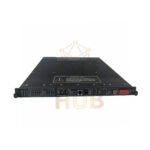
- Tricon 4329 Network Communication Module (NCM) connects Tricon to Ethernet networks.
- It talks to other Tricons and outside host computers.
- The module supports TSAA protocol and user-written apps.
- NCMG version adds GPS time synchronization.
- Two NCMs can sit in one logic slot but work alone – not as hot spares.
Technical Specifications
- Model Number: 4329
- Brand: Tricon / Triconex
- Product Type: Network Communication Module (NCM)
- Ethernet Ports: 2 x BNC connectors (RG58 50-ohm thin cable)
- External Transceiver Ports: 2 x 15-pin D-connectors
- Serial Port: 1 x RS-232 compatible
- Port Isolation: 500 VDC
- Communication Speed: 10 megabits per second (Ethernet ports)
- Protocol: TSAA (TCP/UDP/IP/802.3)
- Max Distance (thin coax): 607 feet (185 meters)
- Max Distance (with repeaters): 2.5 miles (4,000 meters)
- Status Indicators: PASS, FAULT, ACTIVE, TX (per port), RX (per port)
Key Features (Hierarchical View)
- Two Network Ports with Different Roles
- NET 1: Peer-to-Peer and Time Sync for Tricon-only safety networks
- NET 2: Open networking to external systems via TriStation, SOE, OPC Server, DDE Server, or user apps
- GPS Sync Option (NCMG)
- Same functions as standard NCM
- Adds GPS-based time synchronization
- Supported Protocols (TSAA Frame Types)
- TRICON_DATA (Frame Type 1)
- TRICON_DATA_REQ (Frame Type 2)
- WRITE_TRICON_DATA (Frame Type 3)
- WRITE_TRICON_DATA_RSP (Frame Type 4)
- READ_TRICON_CLOCK (Frame Type 5)
- READ_TRICON_CLOCK_RSP (Frame Type 6)
- SET_TRICON_CLOCK (Frame Type 7)
- SET_TRICON_CLOCK_RSP (Frame Type 8)
- READ_TRICON_DATA (Frame Type 11)
- READ_TRICON_RSP (Frame Type 12)
- Data Handling
- Main processors refresh data once per scan
- External hosts read/write only to variables with Alias numbers
- Status LEDs
- PASS – module working
- FAULT – error detected
- ACTIVE – module active
- TX (Transmit) – one per port
- RX (Receive) – one per port
Installation Guide
- Install NCM into Tricon chassis logic slot.
- Two NCMs can share one logic slot but work separately.
- Use RG58 coaxial cable (50-ohm thin cable) for BNC ports.
- For longer runs, add repeaters with thick-net or fiber-optic cable.
- Assign Alias numbers to variables for external host access.
Cabling & Distance Guide
- Standard cable: RG58 coaxial (thin-net), up to 607 ft (185 m)
- Extended distance: Use repeaters + thick-net or fiber-optic cable
- Max extended distance: 2.5 miles (4,000 meters)
- Do not mix cable types without proper adapters.
Debugging & Maintenance
- Check PASS LED – module is ready.
- If FAULT LED lights up, check connections and configuration.
- ACTIVE LED confirms module is communicating.
- TX/RX LEDs blink when data moves through each port.
- Main processors refresh data once per scan – no user action needed.
Compatibility
- Works with Tricon safety systems (all models).
- NET 1 port connects to other Tricons only.
- NET 2 port connects to TriStation, OPC servers, DDE servers, and custom apps.
- Integrates with Modicon Quantum systems via open networking on NET 2.
Certifications & Standards
- IEEE 802.3 electrical interface compliant.
- Port isolation: 500 VDC for safety.
- TSAA protocol support for Triconex safety applications.
Package List
- 1 x Tricon 4329 Network Communication Module
- No cables included – order RG58 coax separately
- No transceivers included
Warranty & Shipping
- 12 months warranty against manufacturing defects.
- Shipping carriers: FedEx, UPS, DHL.
- Tracking number provided within 24 hours.
Typical Applications
- Tricon-to-Tricon peer-to-peer safety networks
- Connecting Tricon to TriStation for programming and monitoring
- SOE (Sequence of Events) logging systems
- OPC server data collection from Tricon
- DDE server integration with HMIs
- Time-synchronized safety systems (with NCMG version)
Diagnostic Capabilities
- Five status LEDs show module health and activity.
- PASS/FAULT/ACTIVE for overall module status.
- TX/RX per port for network traffic monitoring.
- System can read Tricon clock via READ_TRICON_CLOCK frames.
- Faults visible through TriStation software.
FAQ – Professional Questions & Buying Guide
- Can two NCMs work as a redundant pair?
No. Two NCMs can sit in one logic slot but work independently. They are not hot-spare modules. - Why can’t my external host read certain Tricon variables?
External hosts only read or write variables with assigned Alias numbers. Check the Alias configuration. - What is the difference between NCM and NCMG?
NCMG has all NCM functions plus GPS time synchronization. Use NCMG when time alignment across systems is critical. - Can I use NET 1 for external hosts like OPC servers?
No. NET 1 only supports Peer-to-Peer and Time Sync for Tricon-only networks. Use NET 2 for external hosts. - How far can I place the NCM from another device?
Up to 607 feet with RG58 coax. With repeaters and thick-net or fiber optics, you can reach 2.5 miles.
Experience-Based Buying Guide
- Choose Tricon 4329 NCM when you need Ethernet communication for your Tricon safety system.
- Select 4329 NCMG if your application requires GPS time sync across multiple controllers.
- Buy this module for TSAA protocol support – it is the standard for Triconex networking.
- Avoid this module if your Tricon chassis has no free logic slots – two NCMs share one slot, but you still need slot space.
- For simple serial communication only, consider a different module without Ethernet.
- Order RG58 coaxial cable separately. Standard Ethernet (RJ45) cables will not work with BNC ports.
- Use NET 2 for open networking. Keep NET 1 for Tricon-to-Tricon safety links only.
Contact & Inquiries
- Need help choosing between NCM and NCMG for your Tricon 4329 setup?
- Call or message us on WhatsApp: +86 158 8020 0923
Copyright © 2026 PLCDCS HUB Limited. All rights reserved.
Original Source: https://plcdcshub.com/
Partner: Powergear X Automation Limited
Oiltech Controls Limited





0.0 Average Rating Rated (0 Reviews)