





_副本-副本-300x300.webp)
Description
Brief Introduction
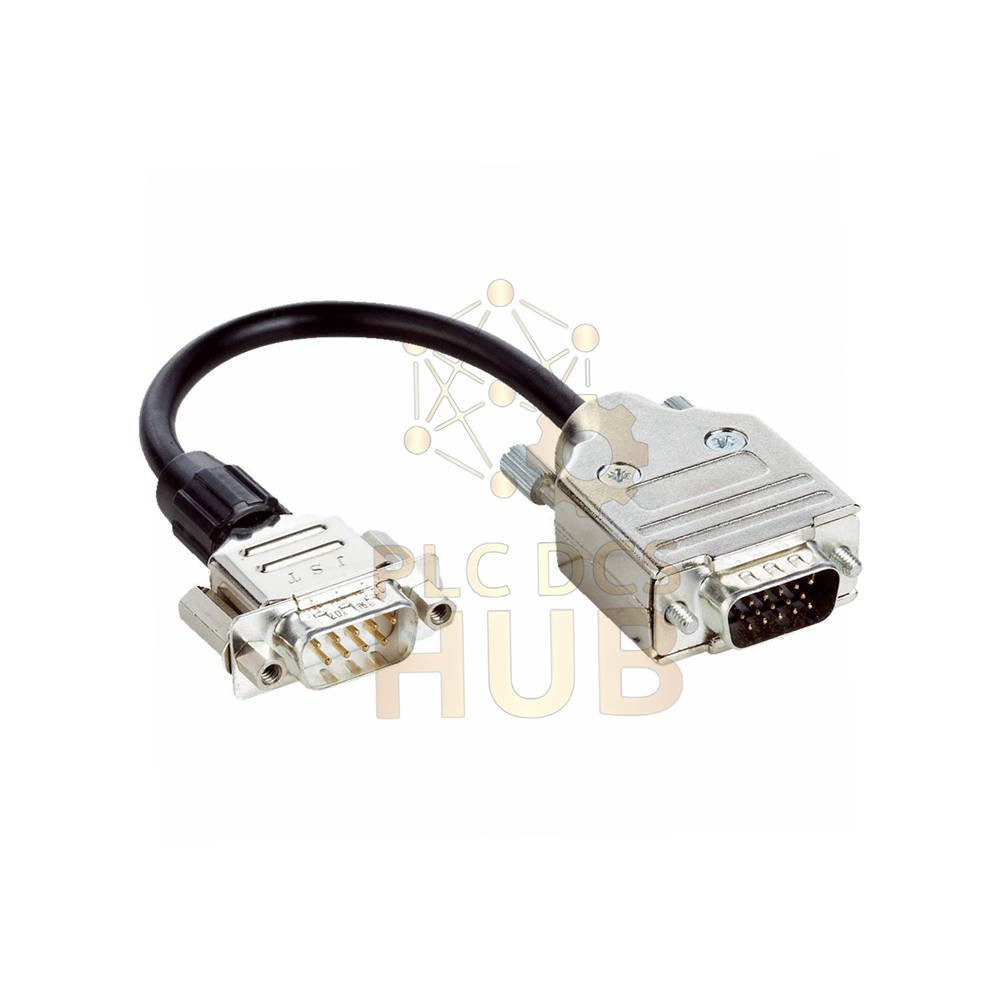
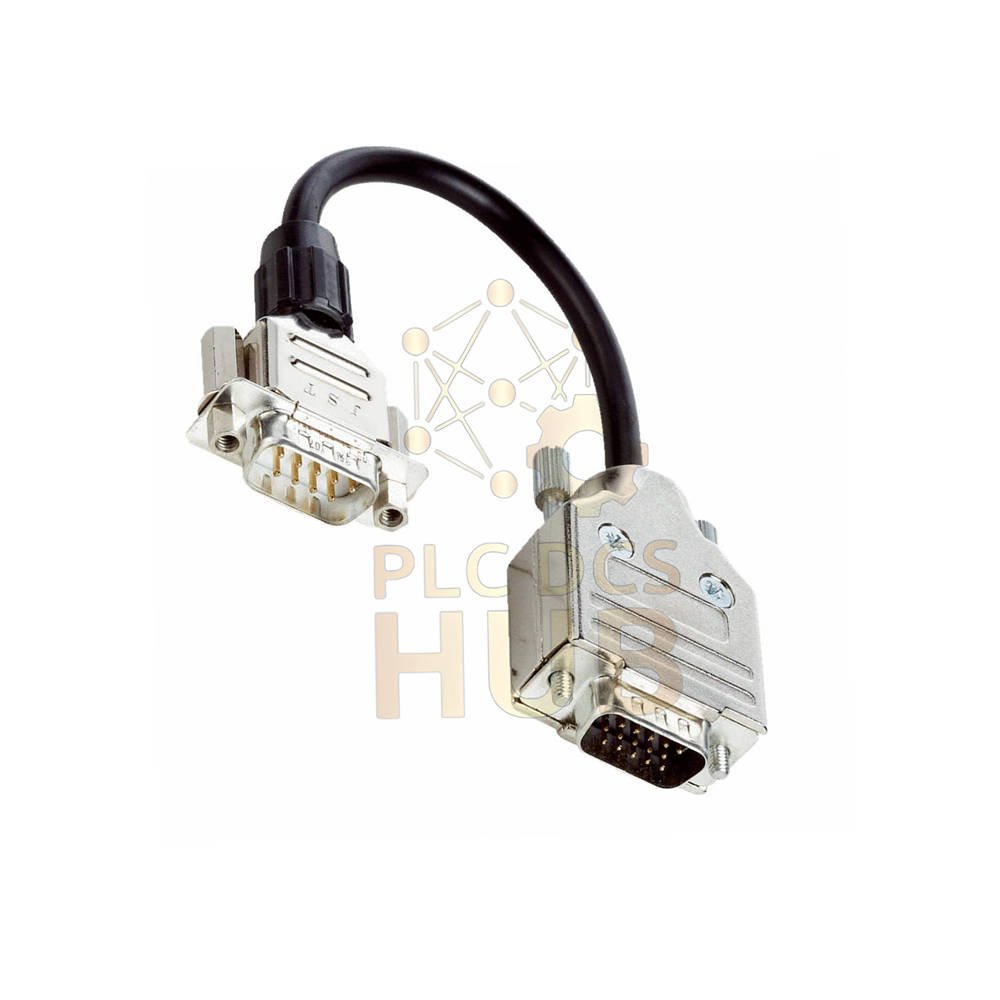
The SICK YMHDAC-C30XXXMDSA9 is an actuator cable from SICK. It connects handheld scanners to CDB620, CDM420, CDF600, or CDF600-2 units. This cable includes a built-in 24V/5V DC converter. It works as an adapter for the AUX port. The product is new and ready to use.
Technical Specifications
- Brand: SICK
- Model Number: YMHDAC-C30XXXMDSA9
- Product Type: Actuator Cable / Adapter Cable
- Accessory Family: Other adapters
- Connector A (Head A): Male D-Sub, 9-pin
- Connector B (Head B): Male D-Sub, 15-pin
- Cable Length: 0.3 meters (300 mm)
- Application: Connects handheld scanners to CDB620, CDM420, CDF600, CDF600-2
- Function: AUX port adapter
- Included Item: 24V/5V DC converter (built-in)
- EU Declaration of Conformity: Yes
- UK Declaration of Conformity: Yes
- China RoHS: Yes
Ordering Code Breakdown (Tree View)
- YMHDAC = Actuator cable family
- C30 = Cable length 0.3 meters
- XXX = Standard cable type
- MDSA9 = D-Sub connectors (9-pin to 15-pin)
Compatible Devices
- CDB620 connection box
- CDM420 module
- CDF600 device
- CDF600-2 device
- SICK handheld scanners with AUX port
Installation Guide
- Plug the 9-pin D-Sub connector into the handheld scanner.
- Plug the 15-pin D-Sub connector into the CDB620 or other compatible device.
- The built-in converter handles 24V to 5V conversion automatically.
- No external power supply needed for the converter.
- Check that both connectors click firmly into place.
Key Feature – Built-in Converter
- This cable includes a 24V/5V DC converter.
- It allows the handheld scanner to run on 5V.
- The CDB620 provides 24V power through the cable.
- No separate power adapter required for the scanner.
Certifications
- EU declaration of conformity – certified for European markets.
- UK declaration of conformity – approved for United Kingdom.
- China RoHS – compliant with Chinese hazardous substance rules.
Packing List
- 1 x SICK YMHDAC-C30XXXMDSA9 actuator cable assembly
- Built-in 24V/5V DC converter (pre-installed)
- Original SICK packing
Warranty & Shipping
- 12-month warranty covers manufacturing defects.
- We ship worldwide with FedEx, UPS, or DHL.
- Tracking number provided for every order.
Typical Applications
- Connecting handheld barcode scanners to CDB620 boxes
- Interfacing SICK scanners with CDM420 modules
- AUX port connections on CDF600 series devices
- Industrial scanning systems needing 24V to 5V conversion
Professional FAQ
- Q: Does this cable work with any SICK handheld scanner?
- A: No. It works only with scanners that have a 9-pin D-Sub AUX port and need 5V power.
- Q: Can I use this cable without the CDB620 or CDM420?
- A: You need a device that provides 24V through the 15-pin connector. The converter needs 24V input.
- Q: What happens if I connect the wrong power polarity?
- A: The cable has no reverse polarity protection. Incorrect wiring may damage the converter or scanner.
- Practical tip from engineers:
- Always power off the CDB620 before connecting or disconnecting this cable. It prevents electrical shock to the converter.
- Selection guide for buyers:
- Choose YMHDAC-C30XXXMDSA9 for 0.3 meter distance between scanner and CDB620.
- Need a longer cable? Look for SICK cables with longer length codes (e.g., C50 for 0.5m).
- Check your scanner voltage requirement. This cable converts 24V to 5V only.
- Confirm your scanner has a male or female 9-pin port. This cable has male on both ends.
- For non-SICK scanners, verify the pinout matches before buying.
Contact Us
- For inquiries: +86 158 8020 0923 (WhatsApp)
Copyright © 2026 PLCDCS HUB Limited. All rights reserved.
Original Source: https://plcdcshub.com/
Partner: Powergear X Automation Limited
Partner: Oiltech Controls Limited



0.0 Average Rating Rated (0 Reviews)